
Control spending upfront, not after the fact
Your expense policy applies while the expense is entered, invoices meet their purchase order first, and cards follow the same rules.
Animation. Before: Three items (expense, card payment, invoice) roll past an open gate. A red flag pops up far down the road, after payment. Label: detected after reimbursement. With N2F: The gate slides to the start of the road. Each item is scanned at entry: policy, limit, purchase order. Compliant items go green and pass; one is held with a reason.
Illustrative amounts and names.How N2F moves control upstream
The same problem shows up in each flow. N2F answers it in one platform.
Expense reports
BeforePolicy checked after reimbursement
Policy applied as the expense is entered
- Rules by category and profile
- Alerts on suspicious expenses
- Approvals by department or project
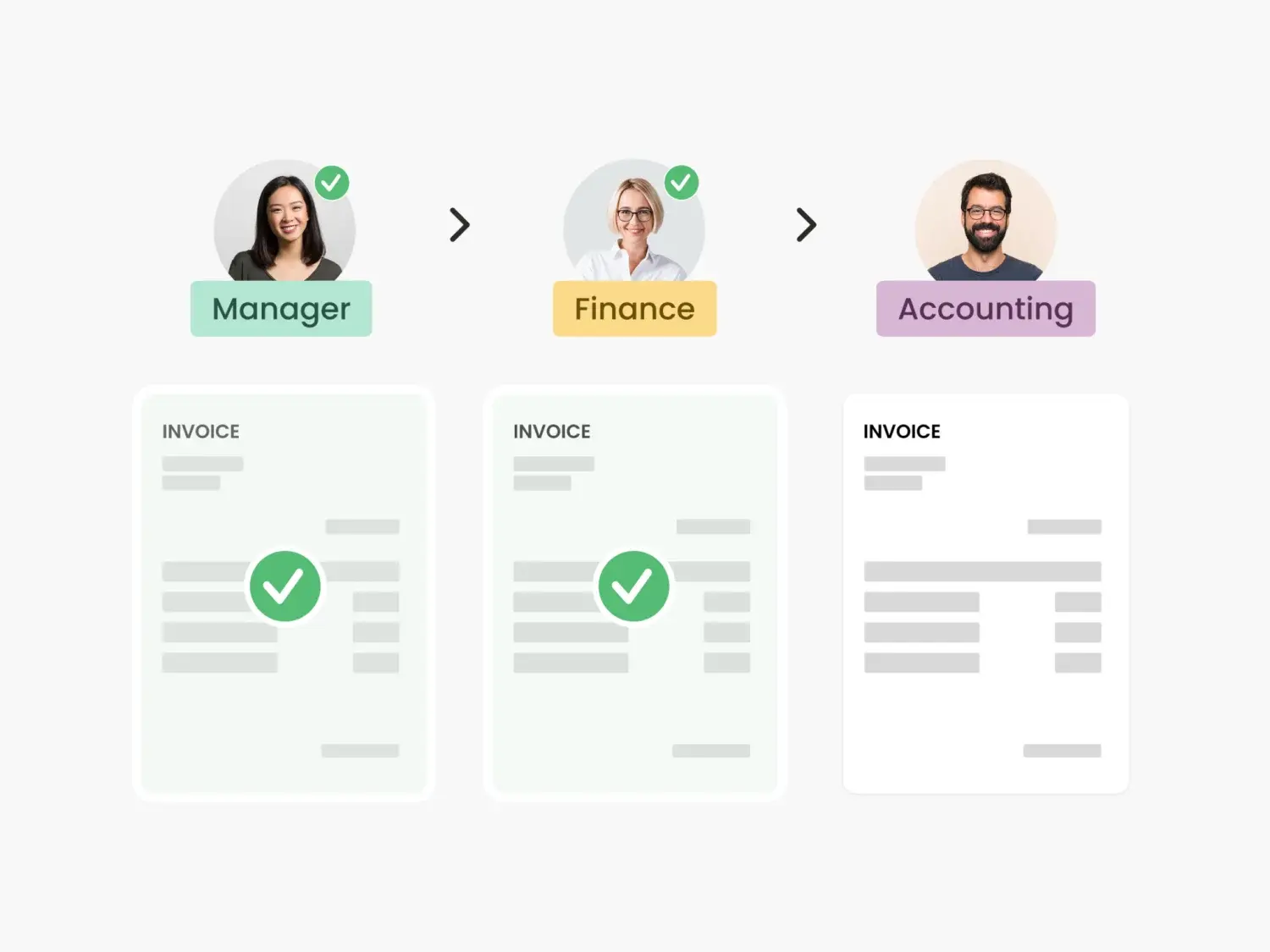
How it works
The policy is checked afterwards. Non-compliant expenses are spotted once they are submitted, and approvals turn into back-and-forth.
- Templates encode your expense policy by category, user profile by department and local rules such as VAT by country.
- Teams are alerted automatically about suspicious expenses, duplicates and tax anomalies.
- Approval workflows follow your rules by department, project or analytical dimension.
Corporate cards
BeforeCard limits set once and forgotten
Cards follow your rules
- Blocked after unjustified payments
- Each payment matched with its expense
- Control on complete data
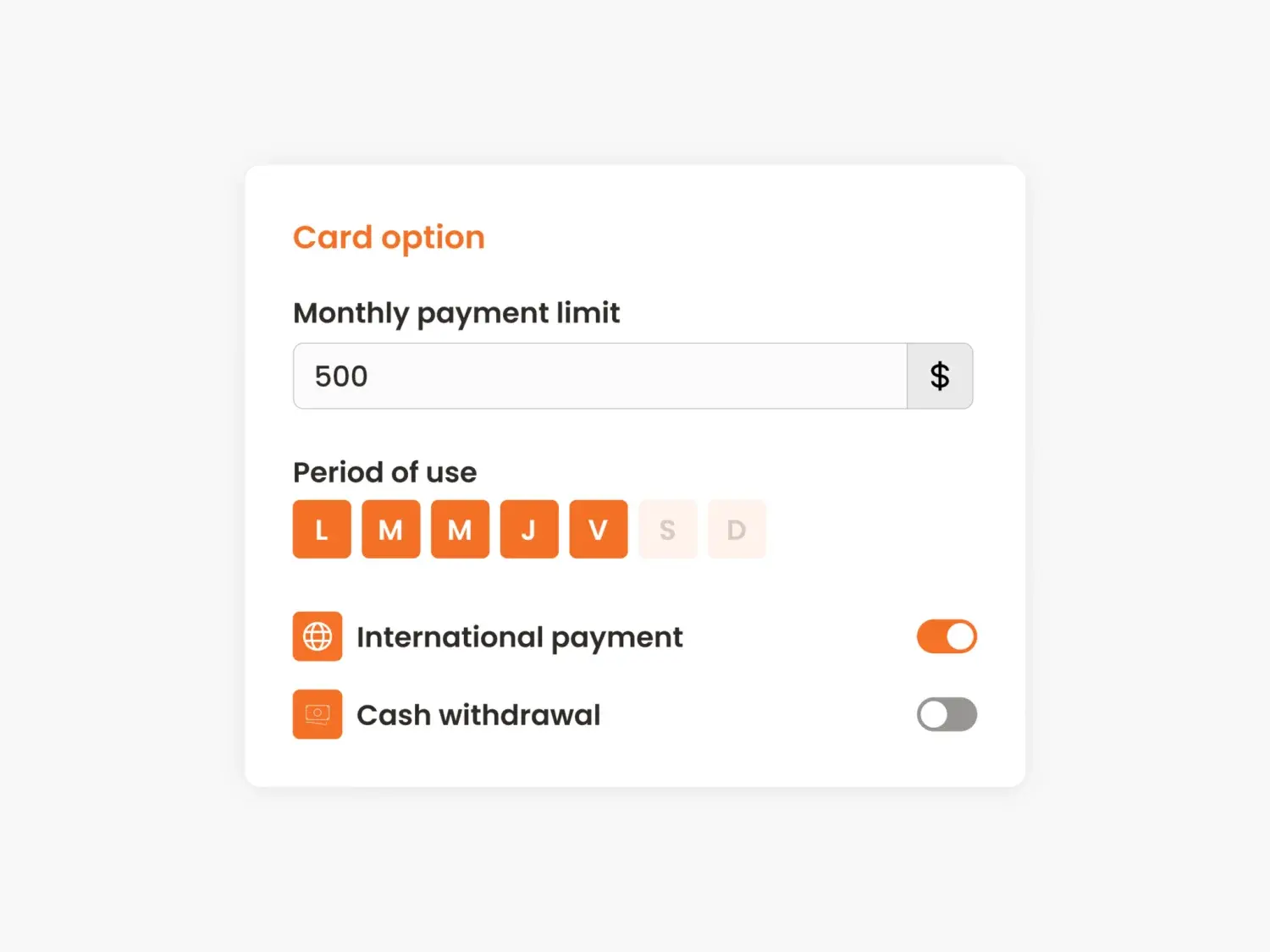
How it works
Limits are hard to adjust. Card limits are fixed once and rarely updated, and card spend is controlled after it happens.
- A card can be blocked automatically after a defined number of unjustified transactions.
- Every transaction is matched with its expense, so control runs on complete data.
Accounts payable
BeforeInvoices approved without an order
Matched with the approved order first
- Purchase request approved before the order
- Early alert on overspending
- Analytics taken from the request

How it works
Invoices approved without a match. Invoices get approved without checking them against a purchase order, and issues appear after approval.
- Purchase requests are approved before the order, then invoices are matched with the approved order.
- An early alert flags overspending against the purchase order, and the invoice inherits its analytics.
What changes, by company size
The expense policy lives in the tool, not in a PDF nobody reads.
Rules differ by department and profile. Templates and workflows apply each one automatically.
Local specificities, such as VAT per country, are configured once and applied in every subsidiary.
Source: N2F key figures, 2026.
Is this you?
The questions our team asks finance leaders in a first call. Tap the ones that sound like your team.
0 of 3. Each yes is a manual step N2F can take off your team.
In short: how N2F controls spending upfront
Checking an expense after it is reimbursed only tells you what went wrong. N2F applies your expense policy while the expense is entered, routes each item through the right approvers, and links invoices to approved purchase orders. Corporate cards follow the same rules, down to blocking a card when receipts are missing.
- Before, not afterN2F applies the expense policy while the expense is entered and routes each item through approval workflows set by department, project or analytical dimension.
- Policy in the toolTemplates encode the expense policy by category, user profile and local rules such as VAT by country.
- 4.7/5Customers rated N2F deployment projects 4.7/5 in 2025.